






How does the FamCAM interior camera help families around Fitchburg, WI?
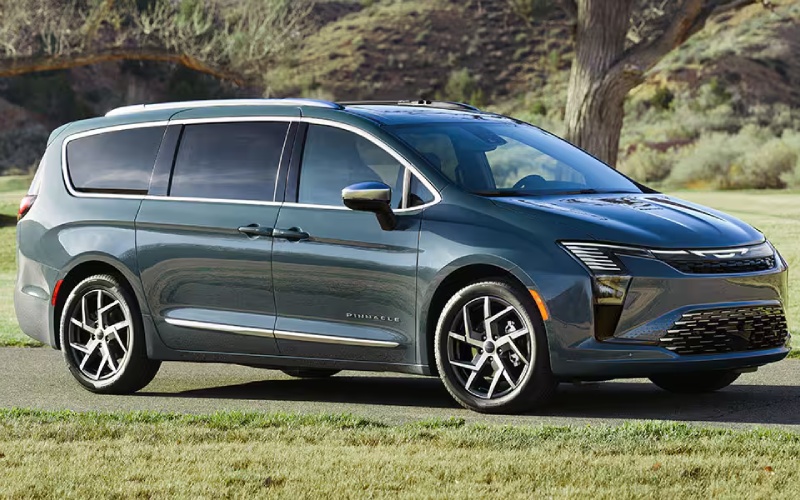
Russ Darrow Chrysler of Madison – How does the FamCAM interior camera help families around Fitchburg, WI?
Parents and caregivers have a lot riding on every trip, and a tool that helps you keep eyes on the back seats—without taking your attention off the road—can make a real difference. The available FamCAM™ interior camera in the 2027 Chrysler Pacifica does exactly that, turning the 10.1-inch Uconnect® 5 screen into a helpful window to the second and third rows during key moments.
Instead of twisting around or pulling over to check on a sleeping infant, verify a chest clip, or confirm that a seatbelt is fastened, you can view the rear seats on the center touchscreen. For busy days around Fitchburg, WI, where school pickups, grocery stops, and cross-town activities stack up, that quick, glanceable visibility is a small but meaningful stress reducer.
What FamCAM shows and how it supports your day
FamCAM is designed to display a clear view of the second and third rows on the 10.1-inch display, so you can verify what matters at a glance. It is especially helpful for households with multiple car seats or kids of different ages. Need to confirm that a booster seat passenger is buckled in properly or that a rear-facing seat’s harness is positioned correctly? Instead of hopping out at the next stop, you can quickly check from the driver’s seat when safe.
Because the camera’s view appears on the same Uconnect 5 screen you use for media and available navigation, FamCAM feels like a natural extension of the tech you already use. The clarity is impressive, and the interface is straightforward, so you are never hunting through deeply layered menus.
How FamCAM fits with other family-friendly tech
The Pacifica’s cabin technology is built to simplify everyday life. The Uconnect 5 system on the 10.1-inch touchscreen is quick to learn, with one-touch access to entertainment, apps, and available navigation. The available Theater Group brings dual rear-seat 10-inch HD screens with Amazon Fire TV built-in, so each passenger can enjoy different content independently. And when the day calls for major cargo, the segment-exclusive Stow ‘n Go® Seating and Storage System lets you fold the second and third rows into the floor to unlock up to 140.5 cubic feet of space.
Together, these features reduce friction points—less backseat bickering, more cabin flexibility, and confident visibility when you need it most. For families, that combination is hard to beat.
Safety and visibility, right when you want it
FamCAM complements the Pacifica’s broader focus on awareness and confidence. Chrysler states Pacifica offers the most standard safety and security features in its class, and for 2027 it adds two available enhancements that speak to everyday needs. Turn Signal-Activated Blind Spot View displays a live image of your blind spot on the center screen when you signal a lane change, and ParkSense®-based camera activation can automatically bring up the camera view when the system detects proximity alerts—useful for tight driveways, pick-up lanes, and crowded parking lots.
With FamCAM covering the cabin and camera-based aids covering the exterior, the Pacifica keeps visibility front and center without overcomplicating the experience.
Real-world ways families use FamCAM
Parents around Fitchburg tell us they use FamCAM to confirm that a rear-facing seat has not shifted after loading cargo, to double-check that older kids buckled in correctly after a quick stop, and to keep an eye on siblings during longer drives. Grandparents appreciate the peace of mind, too, especially when transporting grandkids whose seating needs vary trip to trip.
- Quick buckle checks before merging back into traffic
- Monitoring nap time without turning around
- Confirming harness position after adjusting coats or layers
- Keeping an eye on pets riding in the third row
Those are small wins that add up to a calmer, more confident drive for everyone on board.
Tips for trying FamCAM on your test drive
Bring your car seats, regular backpacks, and anything else that tends to shuffle around your cabin. Set up like you would on a typical school day, then preview FamCAM’s view on the Uconnect 5 screen. Check angles from the second and third rows and see how quickly you can verify what you need to know. While you are there, explore the rest of the tech suite—pair your device, tap through the menus, and, if available on the model you are testing, try the Theater Group’s dual screens so your passengers can weigh in.
Want to see how the Pacifica’s visibility tools complement FamCAM? If the vehicle you are driving is equipped, signal for a lane change in a safe area to bring up the Turn Signal-Activated Blind Spot View, and back into a space to feel how ParkSense alerts can trigger the camera view.
Where to see it in action
If you are comparing minivans for your family and want an honest look at how the features support your day-to-day, we are happy to help. Russ Darrow Chrysler Dodge Jeep RAM of Madison offers guided demos that focus on your questions first—fit, access, visibility, and the must-have features for your household—serving Fitchburg, Stoughton, and Sauk City. Try the setup you use most and assess FamCAM alongside the rest of the Pacifica’s family tech.
When you find the setup that feels right, we can walk you through trims and available packages so you get the exact combination of convenience, entertainment, and safety that makes the most sense for your routine. The right family vehicle does more than move people—it simplifies the way you live.
0 comment(s) so far on How does the FamCAM interior camera help families around Fitchburg, WI?